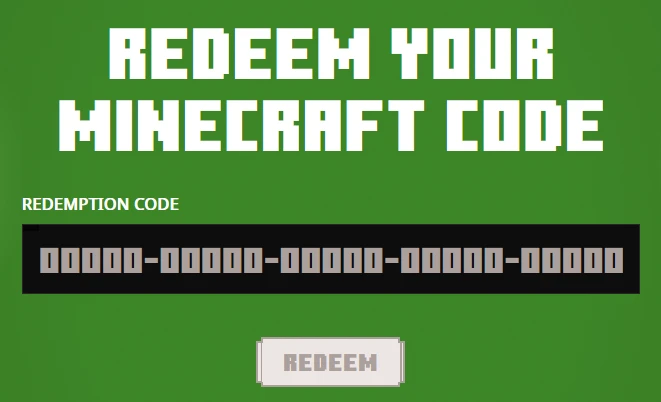
Redeeming a Minecraft cape code takes less than 2 minutes and the cape is permanently linked to your account the moment it's done. It never expires and you can toggle it on or off whenever you like directly from your in-game skin settings. Here's exactly how to do it.
What You Need Before Starting
Make sure you have these three things ready before you begin:
- Your cape code — check your email or order confirmation from wherever you purchased it
- Access to the Microsoft account your Minecraft is registered to
- A browser open to minecraft.net — cape codes cannot be redeemed inside the game client itself
How to Redeem Your Minecraft Cape Code — Step by Step
Step 1 — Go to the official Minecraft redemption page
Open your browser and go to:
minecraft.net/redeemSign in with the Microsoft account linked to your Minecraft Java Edition account. Double check you are signing into the correct account — the cape is permanently bound to whichever account redeems it and cannot be transferred.
Step 2 — Enter your cape code and redeem
Paste your cape code exactly as provided into the redemption box and click Redeem. Cape codes are case sensitive so make sure there are no extra spaces before or after the code. The cape is now permanently linked to your account.
Step 3 — Equip your cape in game
Open Minecraft and equip your new cape from your skin settings:
Java Edition: Launcher → Skins → Edit → Select Cape
Bedrock Edition: Dressing Room → Edit Character → Capes
Java Edition — Cape Not Showing Yet?
Java Edition can take 24-72 hours to sync automatically after redeeming a cape. If you want to force the sync instantly follow these steps:
- Log out of minecraft.net then log back in
- Open Minecraft Bedrock Edition
- Go to the Dressing Room and equip the redeemed cape
- Fully close the game
- Log out of minecraft.net and log back in again
- Go to your Java Edition skin settings
- The cape should now appear — equip it and enjoy
Does It Work on Both Java and Bedrock Edition?
Yes. Minecraft capes work identically on both Java Edition and Bedrock Edition. The cape is tied to your Microsoft account so it appears automatically across both versions. Other players on Java servers like Hypixel, 2b2t and vanilla SMPs as well as Bedrock servers will all see your cape in multiplayer.
What Happens After You Redeem?
Once accepted the cape is immediately applied to your account. You can switch between your redeemed capes at any time and toggle cape visibility on or off without losing it. The cape is yours permanently — it never disappears or expires.
What If My Cape Code Doesn't Work?
The most common reasons a cape code fails:
- You are signed into the wrong Microsoft account
- There is a typo or extra space in the code
If you purchased your cape code from 4D4P Shop and are having any issues contact our support team immediately through Discord at https://discord.gg/4d4pshop or Telegram at https://t.me/shop4d4ps and we will resolve it right away.
Where to Buy Minecraft Cape Codes
Always buy from a verified seller with real independent reviews. At 4D4P Shop we sell verified Minecraft cape codes that are guaranteed unredeemed at the time of purchase. We have been selling since 2019 with 600+ verified customer reviews.
👉 Buy Minecraft Cape Codes: https://4d4pshop.com/product/minecraft-cape-codes
We also sell full Minecraft accounts that already have rare capes permanently attached — often at a significantly lower price than standalone cape codes:
👉 Browse Minecraft Cape Accounts: https://4d4pshop.com/products/minecraft-accounts
Frequently Asked Questions
Is the cape permanent after redeeming? Yes. Once redeemed the cape is on your account forever. You can toggle it on or off at any time from your skin settings but it will never disappear or expire.
Does a Minecraft cape code work on Java and Bedrock Edition? Yes. Capes work across both editions. Once redeemed on your Microsoft account the cape is visible to other players on both versions.
Can I transfer the cape to a different account? No. Capes are permanently bound to the Microsoft account that redeemed them. Always double check which account you are signed into on minecraft.net before entering the code.
Can other players see my cape? Yes. Other players on both Java and Bedrock Edition will see your cape in multiplayer including on servers like Hypixel, 2b2t and vanilla SMPs.
How long does it take for the cape to appear after redeeming? Usually instantly. Java Edition can take 24-72 hours to sync automatically. Use the force sync steps above to make it appear immediately.
Can I redeem a cape code on Bedrock Edition only? Yes. Cape codes work on both editions since the cape is tied to your Microsoft account not a specific game version.